
Priority situations
Situations with the greatest monetary magnitude or systemic risk are immediately the focus of the team.
Action Center shows which situations need attention first, what evidence supports them, and what the team can do next.
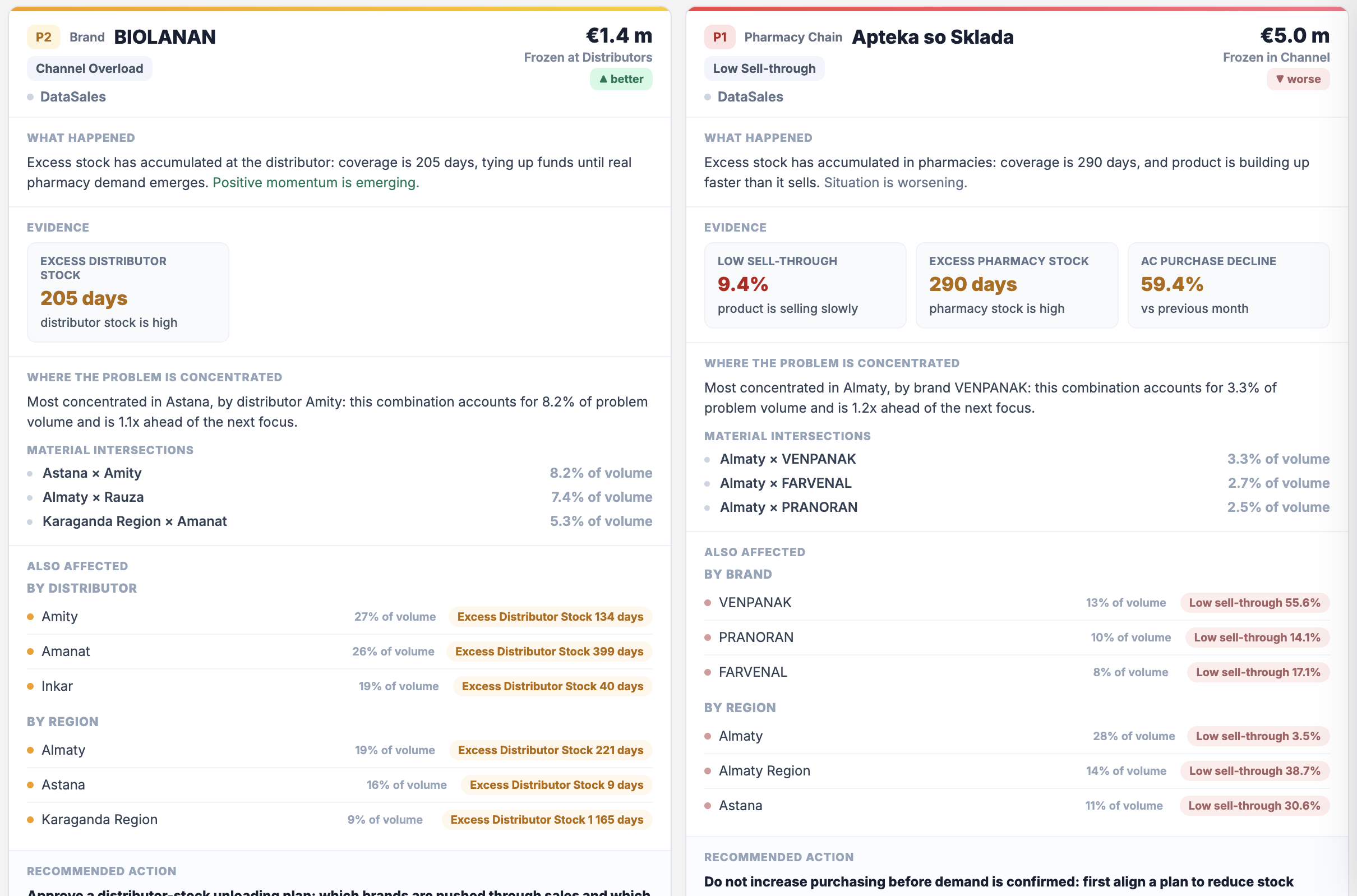
Instead of searching across reports, teams see a prioritized list of situations, supporting evidence, and a clear next step.
Situations with the greatest monetary magnitude or systemic risk are immediately the focus of the team.
Each situation shows metrics from available sources and the scale of its impact on performance.
The team sees a proposed next step and decides what to put into action.
Action Center uses available company data to surface situations that genuinely require a decision.
Bring together the sales metrics and other available sources needed for analysis.
Highlight the situations that the commercial team needs to address first.
Compare available metrics so the team understands the context and scale of each situation.
Suggest a next step for the team to discuss and decide on.
See the most important commercial situations and choose where to focus the team.
See which brand-related situations need more attention.
Check the metrics behind priorities and proposed actions.
Review situations in assigned territories and discuss the actions needed.
Implementation starts with available company data and agreed rules for assessing commercial situations.
Identify the metrics and sources available to assess situations.
Agree which situations matter to leadership and the commercial team.
Check how the system identifies and validates important situations.
The team starts working with priorities and refines the rules based on early decisions.
DataSales shows medicine sales, inventory and performance against plan. Action Center helps the team identify priority situations and decide what to do next.
See how Action Center helps identify important situations, verify them against the data, and choose the next step.